|
The colour WQV-3 and WQV-10 seems a little better than the WQV-1 at night time if set on to “dusk” setting. In effect though neither cameras will take good photos in low light. On the whole the WQV-1 will have nothing but a dark square but at times the WQV-3 & WQV-10 will give you a photo in well lit places, but these will still be quite dark. Ideally all cameras seem to enjoy lots of natural light. |
|
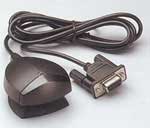
Why does my PC say it can not use IR port or PC can not find watch with a serial IR adaptor? I have recieved quite a few emails from people asking how I got my WQV-3 to upload photos as their PC could not see the watch. This may not work for you but this is what I had to do. (i have Windows 2000) I had to do a little "tweaking" to get my WQV-3 to work as at first when I installed the WQV Link software it seemed intent on thinking it was a USB device and would not download any photos at all. So using the CD that comes with the watch I installed the "ESI-9680 JetEye Serial Infrared Device" (this may be a Windows driver found in Windows to so may not need the CD?) that then fixed the problem. |
|
Why do only 3 or 4 of my photos upload when there are more? Initially I also had this problem. This is what I did to fix it: Click on START - SETTINGS - CONTROL PANEL - Double click on WIRELESS LINK Icon Click on Image Transfer tab. If ticked, un-tick the box labelled "Use Wireless Link to transfer images from a digital camera to your comuter." Click OK Launch WQV Link Software, prepare watch for remote transfer and click on the first icon of the WQV software and then select "Save All" |
||||||||||||||||||||
|
Due to the way the whole technology thing works, I feel the images on the WQV-1 are sharper than the WQV-3. The WQV-3 takes great shots out doors but complicated scenery can be a bit blurred. The WQV-10 seems to take slightly sharper pictures than the WQV-3 but for sharpness the mono photos from the WQV-1 are the best.. |
||||||||||||||||||||
|
Can I send photos from a WQV-3 / 10 to a WQV-1 / 2 ? In short Im afraid not. WQV-1 and WQV-2’s can exchange images amongst each other but the WQV-3 can only share images with another WQV-3 and with the WQV-10. |
||||||||||||||||||||
|
Is there a back light on the watch? The WQV-1/2/3/10 models do not have a backlight. |
||||||||||||||||||||
|
The WQV-1/2/3/10 models are classed as “Water Resistant” that means they will survive things like rain splashes and perhaps washing the car. I would not expect to jump in a pool or wear it in the shower. |
||||||||||||||||||||
|
Where can I get a link removed on a stainless steel strap? You could try it yourself but I took mine to a local jewler who was able to do it in seconds for me. If you have a link taken out keep it in a safe place as you may need it if you ever sell the watch. Depending on heat and excercise your wrist width can vary quite a lot during the day. Ensure therefore that the watch will not be too tight by removing x amount of links. |
||||||||||||||||||||
|
If I walk through Customs at the airport will the watch set off the metal detector? No. The Casio WQV is a highly sophisticated gadget and so you have to be careful your not locked away for being a spy. The good news is the the Stainless steel version of the WQV-10 & WQV-1 does not set off any alarms if worn. I found that taking the watch off and putting it in a tray actually draws more attention to it so unless you lock it away in your suit case I think its best left on. The WQV-3 is ok as this looks like just a chunky watch but the WQV-10 seems to grab a lot more attention for looking “techy”. |
||||||||||||||||||||
|
Will the USB Infra-red adaptor work with the WQV-1? In short Im afraid the answer is No. |
||||||||||||||||||||
|
All the photos shown on this site are full size.apart from panoramic shots where a number of shots have been stitched together. These are smaller than normal. |
||||||||||||||||||||
|
Which watch scratches the easiest? In my experience I would say the stainless steel version of the WQV-10. I had the resin version of the WQV-1 and apart from a slight scratch in the face that was ok. The WQV-3 is superb as the watch face is slightly countersunk into the frame and I never had a mark on that as the frame protects the glass, I did get a slight scratch in the case though that was purely my fault. The WQV-10 with its plush front and shiny chrome bits seems to invite loads of minor scratches that just cant be avoided. I’ve had more scratches on my WQV-10 with normal wear and tear in 4 months than I did on my WQV-1 in a year. |
||||||||||||||||||||
|
Where can I find the latest drivers for my WQV watch? You can get all the latest drivers and software for the WQV range from Casio’s web site at: |
||||||||||||||||||||